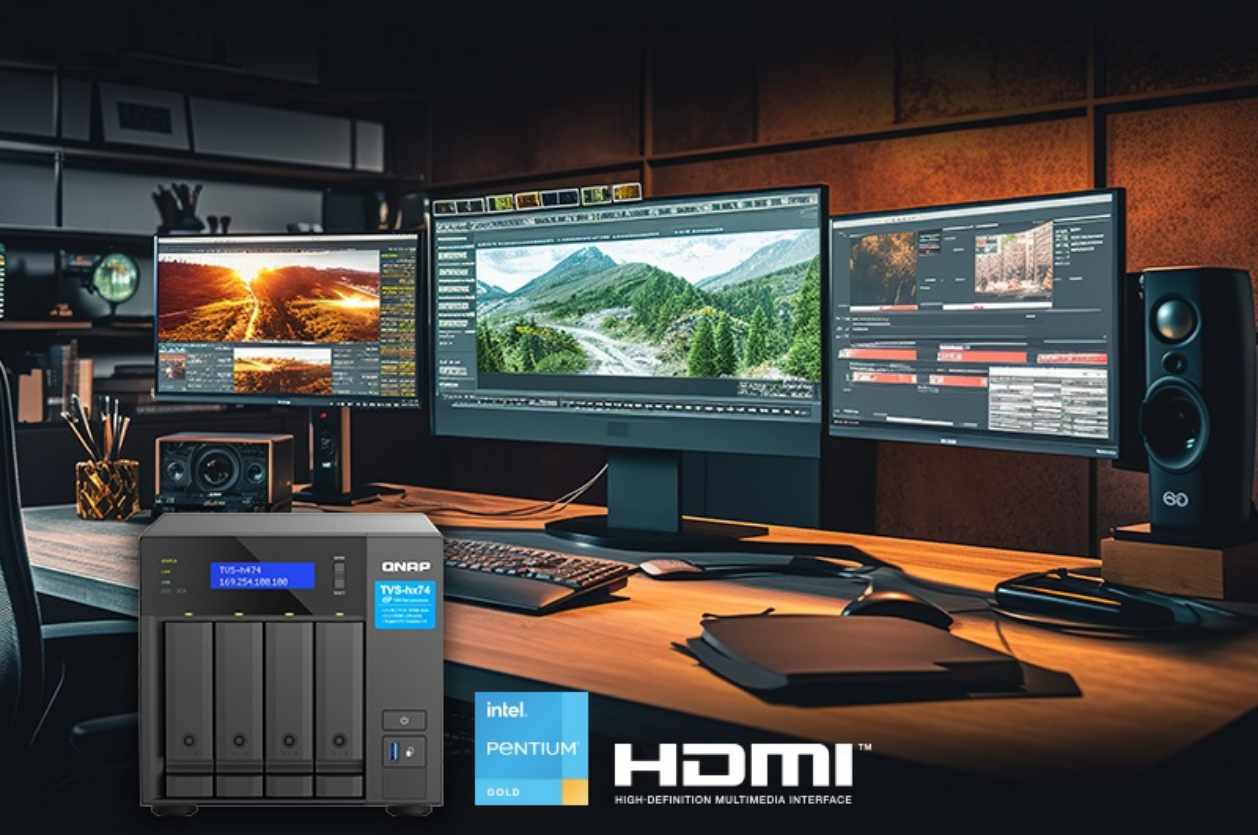


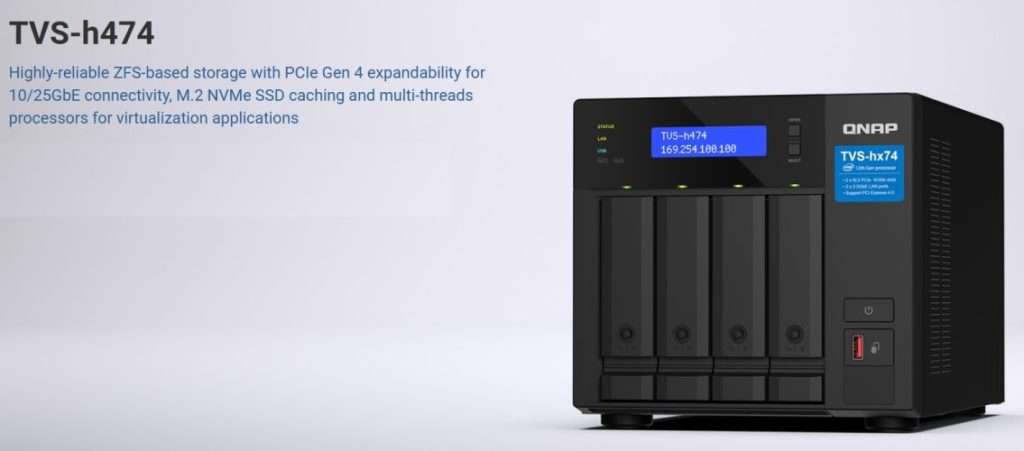
The QNAP TVS-h474 isn’t trying to be a typical small-business NAS—and that’s immediately obvious. Rather than chasing simplicity, QNAP has built a system that brings enterprise-grade storage concepts, particularly ZFS, into a compact, SMB-friendly form factor.
That ambition pays off—but not without trade-offs.
After analysing real-world deployments, benchmarks, and extended use, one thing becomes clear: this is a powerful, highly capable NAS that demands a certain level of technical maturity to truly shine.
The QuTS Hero Difference
QuTS hero and ZFS: The Real Story
The defining feature of the QNAP TVS-h474 is its operating system, QuTS hero, built on the ZFS filesystem.
This is not a minor distinction. It fundamentally changes what the device is—and who it’s for.
ZFS brings capabilities rarely seen in this price bracket:
- End-to-end data integrity with checksum verification
- Inline compression and optional deduplication
- Near-instant snapshots
- Protection against silent data corruption (bit rot)
In practical terms, this shifts the NAS from “file storage” to data protection infrastructure. For businesses handling critical assets—financial records, media libraries, CAD files—the difference is meaningful.
But ZFS isn’t free. It’s memory-hungry, and performance scales directly with RAM. To fully leverage features like deduplication, the system needs significant memory—often far beyond entry-level configurations. Under-provision it, and you’ll leave performance on the table.
Processing Power: The Pentium Gold G7400
Performance: More Capable Than It Looks
On paper, the Intel Pentium Gold G7400 inside the TVS-h474 looks underwhelming: dual-core, modest positioning, and far from workstation-class silicon.
In practice, it holds up surprisingly well.
For core NAS tasks—file serving, backups, snapshots—the high clock speed and AES-NI support ensure responsive performance. Encrypted volumes, often a bottleneck on lower-end systems, maintain near-native throughput.
Network performance tells the real story.
- Over 2.5GbE, the system saturates available bandwidth (~590 MB/s)
- With optional 25GbE via PCIe Gen4, throughput exceeds 3 GB/s in optimal conditions
In other words, for most SMB environments, the network—not the CPU—is the limiting factor.
Where the processor does show its limits is under sustained parallel workloads: multiple VMs, heavy container stacks, or intensive media transcoding. This is a storage-first system, not a compute platform
Network Connectivity and Expansion
Expansion and Flexibility
QNAP has made a smart call with connectivity.
Dual 2.5GbE ports strike a practical balance—faster than gigabit, but still compatible with existing infrastructure. The real advantage, however, lies in expansion.
The PCIe Gen4 slot provides genuine headroom for:
- 10GbE or 25GbE upgrades
- Additional storage controllers
- High-speed networking without bottlenecks
This gives the TVS-h474 something many competitors lack: a clear upgrade path without replacing the system.
SSDs, Caching, and AI Acceleration
M.2 Slots: More Than Just Cache
The dual M.2 slots are more versatile than they first appear.
Configured as SSD cache, they dramatically improve responsiveness—particularly for small file workloads and multi-user environments. Real-world gains in random I/O can be substantial, transforming everyday usability.
More unusually, QNAP supports Google Coral Edge TPU modules. Paired with QNAP’s software stack, this enables on-device AI tasks such as image recognition and facial tagging.
It’s a niche feature—but for creative teams or surveillance de
TPUs genuinely accelerate inference for image classification tasks.
The less obvious but potentially more interesting use case involves Google Edge TPU modules. By installing a Coral Edge TPU in one M.2 slot, the TVS-h474 can perform high-speed AI-powered image recognition through QNAP’s AI Core engine.
QNAP’s QuMagie photo management application leverages this for facial recognition and object detection. Independent testing shows the Edge TPU processing thousands of photos in the time it would take a CPU-only system to handle hundreds.
For photographers, creative agencies, or surveillance applications using QVR Face, the performance difference is substantial enough to change workflows.
The built-in Intel OpenVINO toolkit support means developers can deploy custom AI models for specialised recognition tasks.
Doing so, transforms the NAS from a passive storage device into an active participant in processing pipelines—a genuinely compelling use case for businesses with unique computer vision requirements.
Graphics and Media Capabilities
The integrated Intel UHD Graphics 710 provides hardware-accelerated transcoding and HDMI 2.0 output. For businesses deploying the TVS-h474 as a media server—training video libraries, corporate communications, digital signage—the transcoding capabilities matter.
The UHD 710 supports hardware-accelerated H.264 and HEVC encoding/decoding. Real-world testing shows smooth transcoding of 2-3 simultaneous 1080p streams or a single 4K stream.
Push beyond that, and the dual-core CPU becomes the limiting factor as much as the GPU. For typical small office deployments, this capacity suffices.
Larger operations requiring extensive simultaneous transcoding should look at QNAP’s Core i5 or i7 models.
HDMI output enables direct connection to displays for content verification or presentation purposes.
While not the primary use case for most business deployments, the flexibility proves useful in specific scenarios—digital signage deployments, conference room media systems, or creative workflows where direct preview capability streamlines iteration.
Virtualisation and Container Support
Virtualisation: Useful, But Limited
The TVS-h474 supports VMs and containers via QNAP’s software ecosystem, but expectations need to be realistic.
- Single lightweight VMs: perfectly usable
- Containers: efficient and scalable
- Multiple heavy workloads: not its strength
This is best viewed as a NAS that can run services alongside storage, not replace a dedicated server.
ZFS Features in Practice
QuTS hero’s ZFS implementation brings features that fundamentally change how businesses should think about data management. Let’s examine the practical implications of the most important capabilities.
- Snapshots: Unlike traditional backup systems that copy entire datasets, ZFS snapshots are nearly instantaneous and consume minimal space initially. Businesses can snapshot critical volumes every hour
- Inline Deduplication and Compression: ZFS can deduplicate data at the block level and apply transparent compression.
However, deduplication is RAM-intensive. QNAP and the broader ZFS community recommend 5GB of RAM per terabyte of deduplicated data—potentially requiring the full 64GB memory configuration for larger deployments.
Compression, conversely, requires minimal RAM overhead and often improves performance by reducing I/O. Most deployments should enable compression; deduplication requires careful analysis of specific workloads and hardware configuration.
- SnapSync: Real-time replication to remote QNAP systems provides disaster recovery capabilities previously reserved for enterprise storage arrays.
- Data Integrity: This is ZFS’s killer feature, though it’s the hardest to demonstrate until disaster strikes. Every block stored includes checksums that detect corruption.
Independent testing, including comprehensive studies from organisations like Backblaze, demonstrates that bit rot occurs far more frequently than most people realise.
ZFS’s end-to-end integrity verification provides peace of mind that’s difficult to quantify but invaluable when it matters.
Real-World Performance Characteristics
Real-World Use: Where It Excels
In day-to-day operation, the TVS-h474 feels fast, stable, and highly capable—especially when paired with SSD caching.
File access is quick, even across large directory structures. Snapshots and backups are effectively instantaneous.
For creative workflows, collaborative environments, and structured data archives, the system removes friction rather than adding it.
ZFS’s copy-on-write behaviour also delivers subtle advantages: performance remains consistent under mixed workloads, rather than degrading unpredictably.
Security and Data Protection
No review of a QNAP device is complete without addressing security.
The company has faced well-documented ransomware incidents in the past. While improvements have been made—better updates, stronger defaults, clearer guidance—the responsibility ultimately sits with the user.
Deployed correctly (VPN access, no exposed admin interface, proper permissions), the system can be secure. Misconfigured, it becomes vulnerable—like any internet-facing NAS.
QNAP’s security history casts a long shadow, and it would be irresponsible not to address it directly.
The company has faced multiple high-profile ransomware attacks targeting their devices, including the devastating Qlocker and DeadBolt campaigns that encrypted users’ data and demanded ransom.
To QNAP’s credit, they’ve responded by implementing mandatory security updates, improving default configurations, and providing better security advisory communications.
QuTS hero receives regular security patches, and the system now aggressively prompts administrators to maintain current firmware.
But the fundamental reality remains: any network-attached storage device exposed to the internet presents security risks. Best practices apply regardless of manufacturer:
- Never expose the administrative interface directly to the internet
- Use VPN access for remote management
- Enable two-factor authentication for all accounts
- Disable services not actively in use
- Implement IP whitelisting where practical
- Maintain current firmware religiously
- Follow the principle of least privilege for user accounts
The hardware AES-NI encryption acceleration means enabling volume encryption doesn’t significantly impact performance.
For businesses handling sensitive data, encrypted volumes should be standard practice. Combined with ZFS’s integrity checking, this provides defense-in-depth against both external threats and hardware failures.
Power Consumption and Operating Costs
For devices running 24/7/365, power consumption directly impacts total cost of ownership. The Pentium Gold G7400’s modest 46W TDP keeps power requirements reasonable.
Real-world testing from multiple sources reports idle power consumption around 25-30 watts with drives spun down, rising to 50-60 watts under moderate load, and peaking around 75-85 watts during intensive operations.
The Trade-Off: Power vs Usability
The biggest challenge with the TVS-h474 isn’t hardware—it’s complexity.
QuTS hero offers enormous flexibility, but the interface can feel dense and fragmented. New users will face a learning curve, particularly compared to alternatives like the Synology DS923+.
This is the core trade-off:
- QNAP gives you more control and capability
- Synology gives you simplicity and polish
Neither approach is objectively better—it depends on the user.
Software Ecosystem and Usability
QuTS hero inherits QNAP’s extensive App Center ecosystem, providing access to hundreds of first and third-party applications.
Plex Media Server, Surveillance Station, backup utilities, productivity tools, development environments—the selection rivals Synology’s celebrated package library.
However, the interface complexity remains QuTS hero’s Achilles’ heel. The operating system provides incredible capability and granular control, but the learning curve is steep.
New administrators face a bewildering array of options, settings scattered across multiple interface sections, and documentation that assumes significant prior knowledge.
The bright side: once learned, QuTS hero’s interface provides efficient access to advanced features. Power users appreciate the granular control and comprehensive options.
Use Cases and Target Audience
Based on real-world deployments and user experiences documented across forums, reviews, and community discussions, the TVS-h474 excels in several specific scenarios:
- Video Production and Creative Workflows: The combination of ZFS’s data integrity guarantees, snapshot capabilities for versioning, fast network throughput, and hardware transcoding makes this an excellent choice for creative studios working with large media files.
The ability to provide multiple editors simultaneous access to project files with SSD-cached performance addresses real workflow bottlenecks. - Small Business File Servers: Companies needing reliable, always-available file storage with enterprise-grade data protection but lacking IT staff to manage complex systems find the TVS-h474 hits a sweet spot.
- Backup and Archive Systems: ZFS’s compression and optional deduplication combined with snapshot capabilities make this excellent for backup repositories.
The ability to maintain extensive snapshot histories without proportional storage growth transforms backup strategies. SnapSync to remote QNAP systems provides straightforward disaster recovery. - Surveillance Recording: With QVR Pro and optional Edge TPU acceleration for facial recognition, the TVS-h474 serves as a capable surveillance recording platform.
The ZFS filesystem’s reliability ensures footage integrity, while hardware transcoding enables reviewing recorded footage without taxing system resources. - Development and Testing Environments: The combination of containers, virtualization, snapshot capabilities, and network performance makes this suitable for development teams needing lab infrastructure.
The ability to snapshot entire development environments, experiment freely, and roll back instantly changes how teams can work.
Conversely, the TVS-h474 isn’t ideal for:
- Organisations requiring extensive virtualisation (look at higher-tier models with more cores)
- Users wanting the simplest possible setup experience (consider Synology instead)
- Deployments needing to transcode numerous simultaneous 4K streams
- Home users seeking basic network storage without advanced features
The Competition
The TVS-h474 faces competition from several angles. Synology’s DS923+ offers a more polished user experience with DSM but uses an AMD Ryzen processor and doesn’t offer ZFS-based data protection out of the box (Synology uses Btrfs, which provides some similar features but with different tradeoffs).
TrueNAS-based systems (either pre-built or custom) offer similar ZFS capabilities, often with more powerful processors, but require significantly more technical expertise to deploy and manage.
They’re the choice for users comfortable building and maintaining their own systems, while the TVS-h474 provides ZFS capabilities in a more turnkey package.
ix Systems’ TrueNAS Mini series competes directly on features and ZFS support but typically costs more for comparable hardware specifications. The advantage is professional-grade support options and deeper documentation.
The TVS-h474’s sweet spot is bringing enterprise-grade storage features to SMB budgets with more sophistication than consumer NAS devices but less complexity than building custom systems.
Final Assessment Verdict
The QNAP TVS-h474 is not a beginner-friendly NAS—and it doesn’t try to be.
Instead, it delivers something far more interesting: enterprise-grade storage principles in a system accessible to small businesses and advanced users.
When properly configured, it offers:
- Exceptional data integrity
- Strong real-world performance
- Meaningful scalability
- Advanced features rarely seen at this level
But it also demands:
- Adequate RAM investment
- Ongoing security awareness
- A willingness to learn the platform
For the right user, it’s outstanding value. For the wrong one, it may feel unnecessarily complex.
Rating: 8/10
Pros
- ZFS-based storage with enterprise-level data integrity
- Strong real-world performance, especially with SSD caching
- Excellent expandability via PCIe Gen4
- Flexible use cases (storage, backup, light virtualisation)
- Hardware encryption with minimal performance impact
Cons
- Steep learning curve
- Limited CPU for heavy parallel workloads
- High RAM requirements for advanced ZFS features
- Requires proactive security management
- Not ideal for heavy virtualisation or media-heavy workloads
Living With the QNAP TVS-h474: A Real-World Home Media Office
There’s a clear difference between evaluating specifications on paper and relying on a system every day. After several months using the QNAP TVS-h474 as the backbone of a home media office, that gap becomes impossible to ignore.
Configuration That Reflects Reality
This isn’t a maxed-out lab setup—it’s a practical, cost-conscious deployment:
- 2 × 8TB NAS drives (RAID 1) for primary storage
- 2 × 128GB SSDs (RAID 0) for caching
- 1 × 256GB NVMe drive dedicated to virtual machines
The result is 16TB raw capacity, delivering roughly 8TB usable in a mirrored ZFS pool. On paper, that may seem modest in an era dominated by multi-terabyte media projects. In practice, it’s more than sufficient—comfortably holding years of accumulated work without constant capacity pressure.
Where ZFS and Caching Actually Matter
The daily workload isn’t built around massive video files. Instead, it revolves around volume: thousands of PDFs, documents, high-resolution images, audio clips, and occasional video assets.
Over time, this has grown into a sprawling archive—tens of thousands of files organised across deeply nested folders by client, project, and date.
This is where the combination of ZFS and SSD caching proves its value.
On traditional spinning-disk NAS systems, navigating large directory structures often introduces small but constant delays—nothing catastrophic, but enough to interrupt workflow.
Here, those delays largely disappear. Folder navigation feels immediate, search is responsive, and overall interaction is noticeably smoother.
It’s not the kind of improvement that stands out in benchmarks—but in daily use, it fundamentally changes how the system feels.
A Surprisingly Practical Approach to Virtualisation
Running a Windows 10 virtual machine on a dual-core NAS isn’t something you’d recommend based on specifications alone. Yet in practice, it’s become one of the most useful aspects of this setup.
The requirement is simple: access to a small number of Windows-only tools—primarily media monitoring software and occasional PR platforms used by clients.
Performance isn’t the priority. Availability is.
By placing the VM on a dedicated NVMe drive, startup times drop significantly—from roughly two minutes on spinning disks to around 30 seconds.
More importantly, day-to-day responsiveness is entirely usable. Opening documents, running applications, and working within browser-based tools all feel stable and predictable.
This isn’t a system for heavy workloads. There’s no expectation of video editing or data processing inside the VM. But for light, task-specific use, it performs exactly as needed.
“Adequate” in the Best Sense
The experience inside the VM is best described as adequate—and that’s not a criticism.
It’s consistent, reliable, and removes the need for separate hardware dedicated to occasional tasks. For a single-user environment, that efficiency matters far more than raw performance.
Snapshots: The Quiet Game-Changer
Perhaps the most underrated feature in daily use is snapshotting.
Being able to capture the entire state of a virtual machine before updates or software changes fundamentally alters risk. If something breaks, recovery takes minutes—not hours.
For a solo operator without dedicated IT support, this isn’t just convenient—it’s transformative. It removes hesitation, encourages experimentation, and provides a safety net that traditional setups simply don’t offer.
The Bigger Picture
What stands out most after extended use is how well the TVS-h474 handles real-world complexity.
It’s not about peak performance or headline features. It’s about consistency—managing large volumes of small files, maintaining responsiveness under everyday workloads, and quietly supporting workflows that would otherwise require multiple systems.
It doesn’t try to be everything. But within its limits, it delivers exactly what’s needed—and does so reliably.