

Online retail has solved most of its early problems. Checkout is fast, payment is frictionless, delivery is trackable to the street, and personalisation has become routine.
One stubborn gap remains: a shopper still can’t pick the thing up.
For a phone case that hardly matters. For a three-seater sofa, a pendant light, or a new front door, it matters enormously — and the hesitation it creates is where a lot of otherwise healthy product pages quietly lose sales.
Ecommerce still has a product-confidence gap
The gap is specific rather than general. It’s not that shoppers distrust online retail; it’s that certain product decisions require spatial judgement that a screen can’t easily support.
Dimensions are printed on nearly every listing, and almost nobody can convert them into a feeling about their own room. “2100mm wide” is accurate and useless.
Photography compounds the problem, since a product shot on white gives no scale reference at all, and a styled room scene was shot in someone else’s much larger space.
Then there’s the cost of getting it wrong. Returning a large item is expensive for the retailer and a genuine hassle for the customer, which makes both parties cautious.
Add mobile into it. Most browsing now happens on a phone, where shoppers want clarity fast and have limited patience for reading specifications. The confidence problem and the mobile context arrive together.
AR turns product pages into visual decision tools
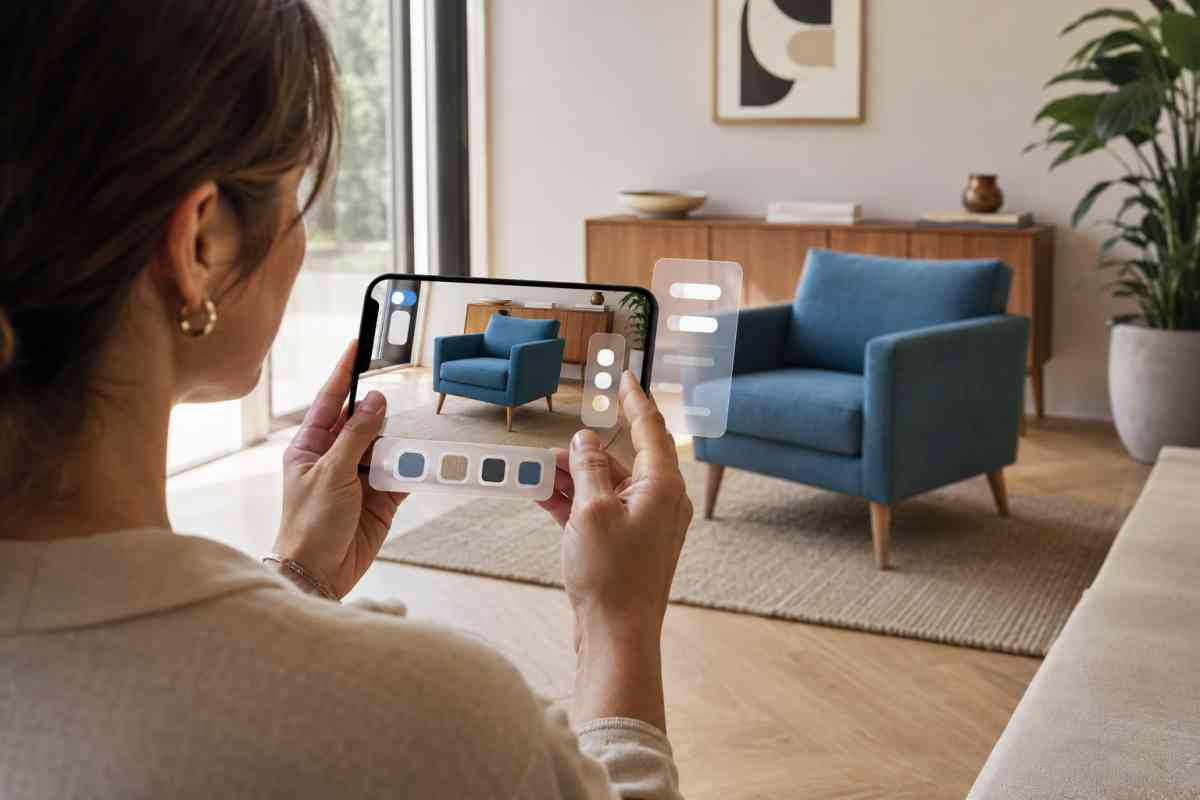
Augmented reality addresses precisely this. Rather than asking a customer to imagine the product in their space, it puts it there — at true scale, in their own light, next to their existing furniture.
For categories where size, placement, and room context matter, augmented reality for ecommerce can help shoppers preview furniture, lighting, appliances, outdoor products, windows, or doors inside their own space before making a purchase decision.
The questions it answers are the practical ones people actually hesitate over: will the sofa leave room to walk past, does the dining table swallow the room, does this finish work against my flooring, how does the pendant sit at that ceiling height.
What makes it valuable commercially isn’t novelty — it’s that the shopper resolves the doubt themselves, in seconds, without contacting anyone or measuring anything. That’s a very different experience from reading a dimensions table and hoping.
Which categories benefit most
AR earns its cost unevenly, and it’s worth being selective.
The strongest candidates are products where placement is part of the decision. Furniture leads the list, particularly larger pieces where fit is the primary anxiety.
Lighting benefits because a fitting’s presence in a room is hard to judge from a product shot. Outdoor furniture has the same issue on balconies and patios where space is tight. Appliances need to fit specific gaps and match surrounding cabinetry.
Mattresses and bathroom products both involve dimensions people struggle to picture. Windows and doors are strong candidates because style fit against an existing property is genuinely difficult to assess otherwise.
And any configurable product benefits, since AR lets a customer see the exact combination they’ve specified.
Products where AR adds little: small items, anything bought on specification rather than appearance, and consumables. Building AR assets for those is spending money on a feature nobody uses.
AR is part of a wider visual-commerce stack
It’s worth being clear that AR doesn’t replace the rest of the product gallery. It answers one question — will this work in my space — and leaves the others untouched.
A complete setup still needs clean product images for search results and comparison, close-ups for material and build quality, lifestyle renders for mood and styling context, 360° views for inspecting the object itself, and animation where a mechanism needs explaining.
AR sits alongside these, and it’s usually the last asset a shopper reaches for rather than the first.
According to cgifurniture.com ecommerce brands can combine product renders, lifestyle scenes, animations, 360° views, and AR-ready assets into a broader product-visualisation workflow.
That combination is the practical point for retailers: the same underlying 3D model can generate the catalogue imagery, the spin, and the AR asset, which changes the economics considerably compared with treating AR as a standalone project.
Implementation is not only a design decision
This is where AR projects tend to run into trouble, because the technical requirements are stricter than the marketing conversation suggests.
Model accuracy comes first. An AR preview that misrepresents dimensions is worse than no preview — it actively creates returns. The 3D model has to match the real product’s measurements exactly.
Then there’s optimisation. AR runs on phones, in real time, over mobile connections.
Models need retopology to bring polygon counts down, textures compressed without losing material realism, and file sizes kept small enough to load quickly. A beautiful model that takes twenty seconds to appear won’t be used.
Formats matter for compatibility. GLB and glTF cover Android and web; USDZ handles iOS AR Quick Look. Getting these right determines whether the feature works for most of your customers or half of them.
Beyond the assets, there’s platform integration, product-data accuracy feeding the models, analytics to measure whether anyone actually uses the feature, and support documentation for when customers ask how it works.
What Australian retailers should weigh up
For local retailers considering this, a few practical priorities.
Start narrow. Pick the category where returns are most expensive and size is the most common complaint — usually large furniture or appliances — and build AR there rather than across the whole catalogue. Prioritise products where placement genuinely drives the decision.
Test the mobile experience properly, on a range of devices and connections, not just the newest phone in the office. Set up analytics before launch so you can see engagement and whether AR users behave differently on the page.
Check your product data first. AR is only as accurate as the dimensions behind it, and plenty of catalogues have measurement errors nobody noticed because nobody was rendering them at true scale.
And resist AR as a marketing gimmick. Australian shoppers’ expectations around digital experience are high, and a badly implemented AR feature that loads slowly or misrepresents a product does more damage than not offering one. The feature should reduce uncertainty, not just signal innovation.
A checklist before launching
- Is this product category one where AR genuinely helps the decision?
- Are the product dimensions verified and accurate?
- Is the 3D model optimised for mobile performance?
- Are the textures realistic but light enough to load quickly?
- Does the asset export correctly to GLB, USDZ, and any platform-required formats?
- Does the AR experience load fast enough that people will wait for it?
- Is there a fallback — a static image or 360° view — if AR isn’t available?
- Does the product page explain clearly how to launch the AR view?
- Is analytics in place to measure engagement and impact?
- Does the AR model match the actual shipped product, including finish?
Final thoughts
AR won’t rescue a weak ecommerce operation, and treating it as a general upgrade misses what it’s good for. What it does solve is one specific and stubborn problem: helping a customer understand how a product will sit in their real environment before committing.
For retailers selling spatial, high-consideration goods — furniture, lighting, appliances, doors and windows — that’s not a novelty feature. It’s the answer to the question that was costing them the sale